
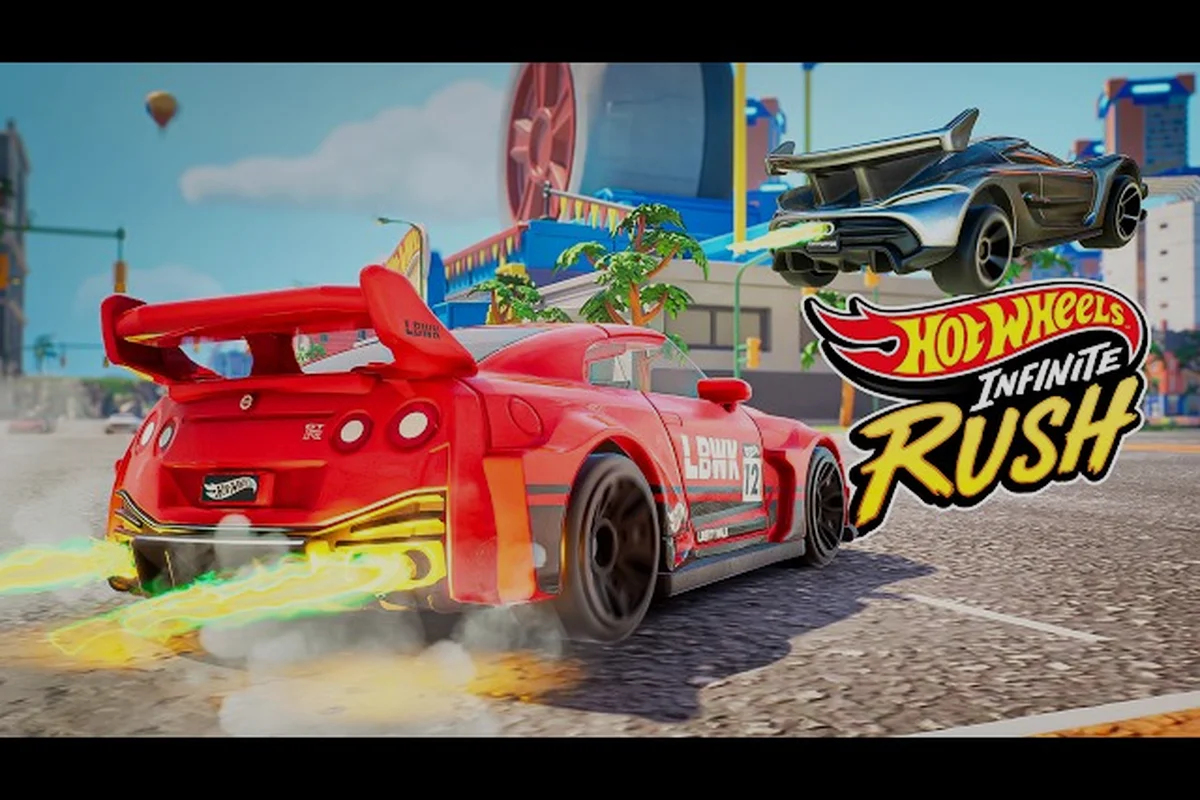
Starting HOT WHEELS Infinite Rush for the first time can feel like staring at a toy box the size of a small city, and this new player guide cuts straight to the controls, vehicle classes, and first-session goals that actually matter. The game drops you onto four open islands built for arcade racing, so learning the basics before you chase the orange track saves you a dozen restarts. Use the walkthrough structure below to set up your inputs, pick a vehicle archetype, and complete the opening Career events without burning through your early upgrades.
According to the official HOT WHEELS Infinite Rush Steam page, new players can jump straight into stunt-based racing with intuitive controls, making the early learning curve accessible before progressing to more demanding time-trial and challenge modes.
Getting Started With the HOT WHEELS Infinite Rush New Player Guide
Before you touch the gas, you need a clean setup and a clear sense of how the world is organized. The Steam store page confirms the title ships with single-player, split-screen up to four players, and online cross-play, so your first choice is whether to start solo or with a couch co-op partner on the same screen. Pick solo for the first hour so the open-world pacing is easier to read without a teammate pulling you into side activities.
Platform, Install, and First-Launch Settings
A clean install keeps the launcher from forcing a redundant patch download, which matters because the game uses a large day-one update on PC and console. That initial patch typically weighs in at roughly 15 GB and is mandatory before Career mode, cross-play matchmaking, and the premium Track Builder feature set will activate, so skipping it or starting from a partial install on Steam, PlayStation, or Xbox can leave you stuck on a version mismatch error right at the title screen. New players in particular should plan for the full download plus a 5–10 minute verification window before they can access the first Hot Wheels Infinite Rush Career event.
| Step | Action | Why it matters for a new player |
|---|---|---|
| 1 | Install from the official store page on your platform of choice | Avoids third-party repacks that may carry outdated builds |
| 2 | Allow the day-one patch to finish before launching | Patch unlocks cross-play and several Career events |
| 3 | Set display mode (Performance or Quality) on console | Performance gives smoother 60 fps during drifts |
| 4 | Calibrate stick or mouse sensitivity at 50% | A neutral starting point is easier to tune later |
| 5 | Enable vibration/haptics on controller | Rumble gives tactile drift feedback that beginners rely on |
Choosing a Difficulty and Camera Mode
The career mode exposes three difficulty presets, and you can swap them at any menu between events. Community testing shared across early-access forums suggests Normal is the cleanest learning curve because Hard cuts nitrous recovery windows in half. Camera mode is the other big call: the behind-the-car chase cam is friendliest for first-timers, while the hood cam rewards drivers who already know braking points.
If you want a deeper orientation to the full campaign map, the HOT WHEELS Infinite Rush game guide walks through island progression in detail and is worth a bookmark for session two. Specifically, that companion page maps each of the four islands, lists the unlock tiers tied to the main campaign, and flags the trickier loops on TigerShark and Mammoth Canyons so you know which events to repeat once Normal difficulty starts feeling routine.
Master the HOT WHEELS Infinite Rush Controls First
The control scheme is one of the most generous in the arcade racing space, and you can fully rebind every input on keyboard, controller, or a mix of both. Treat this section as your muscle-memory map before you start chasing Career medals.
Default Controller Layout (Xbox / PlayStation)
The default gamepad layout in HOT WHEELS Infinite Rush mirrors most modern arcade racers, so lapsed Forza Horizon or Need for Speed players will feel at home within minutes — the right trigger accelerates, the left trigger brakes, and the face buttons handle drifting, boosting, and the handbrake. The two shoulder bumpers split duties between vehicle class cycling (LB / L1) and a quick rear-view tap (RB / R1) useful before overtakes in traffic events. Newcomers who learned drifting in the Forza Horizon series should note that here you must press the drift button (A / Cross) first and then steer, rather than feathering the throttle mid-slide.
| Input | Action | Beginner tip |
|---|---|---|
| Left stick / D-pad | Steer | Small inputs keep drifts tidy |
| Right trigger (RT / R2) | Accelerate | Hold for nitro build-up |
| Left trigger (LT / L2) | Brake / reverse | Tap to drift-initiate in corners |
| A / Cross | Drift button | Press then steer for a long slide |
| X / Square | Boost / nitrous | Use after a clean drift chain |
| Y / Triangle | Horn | Cosmetic but fun in free roam |
| B / Circle | Handbrake | Drastic direction change on tight turns |
| LB / L1 | Cycle vehicle class | Switch between Versatile, Titan, Drifter, Speeder |
| RB / R1 | Rear view | Tap before overtaking in traffic events |
| D-pad up/down | Switch active car in class | Quick swap when your ride gets damaged |
Default Keyboard and Mouse Layout
The mouse steering option is new for the franchise and gives PC players a level of aiming control you simply cannot match on a stick. Many players report that the keyboard layout still works fine for casual play, but mouse steering is where precision lives.
| Input | Action | Beginner tip |
|---|---|---|
| W / Up arrow | Accelerate | Hold for the full race distance |
| S / Down arrow | Brake / reverse | Tap to scrub speed before drifts |
| A / D or Left / Right | Steer (keyboard mode) | Combine with mouse for hybrid aim |
| Mouse movement | Steer (mouse mode) | Lower sensitivity if the car twitches |
| Space | Drift | Press right before a corner apex |
| Left Shift | Nitrous | Burn after a drift for a small boost |
| Left Ctrl | Handbrake | Useful for 180-degree turnarounds |
| Q / E | Cycle class left / right | Mirror of the LB / RB gamepad layout |
| 1, 2, 3, 4 | Switch active car in slot | Fast swap when an event demands a class |
| Tab | Pause / map | Pulls up the Career event list |
Optional Inputs and Assist Toggles
The assist menu is where most beginners save their pride. Traction control, auto-drift, and steering assist can each be flipped independently, and community feedback across the early-access beta flagged auto-drift as a genuine quality-of-life tool rather than a crutch. Turn it on for the first three Career events, then disable it once your corner entry feels consistent.
If you want a focused breakdown of how steering and assists interact with the four vehicle classes, the HOT WHEELS Infinite Rush cosmetic guide touches on how upgrade paths change the way each class handles.
Understand the Four Vehicle Classes Before You Drive
Every car in the 150+ vehicle roster slots into one of four archetypes, and your Rush Squad holds one representative from each class so you can swap on the fly. The official Milestone page describes this as the core design hook: you are never locked into a single driving feel, because a single button press swaps the class for any encounter.
Class Roles Explained for New Racers
| Class | Role | Beginner strength | Watch out for |
|---|---|---|---|
| Versatile | All-rounder, balanced grip and speed | Forgiving in mixed events | Mediocre top speed on straights |
| Titan | Heavy, high health, smash obstacles | Great for break-the-things activities | Slow drift recovery, eats nitrous fast |
| Drifter | Light chassis, long sideways slides | Earns the biggest drift chains | Poor on off-road, low durability |
| Speeder | Low weight, high top speed, low armor | Wins sprint and time-trial events | One crash and the run is over |
Reading Vehicle Stats and Perk Trade-Offs
The Tom's Guide 15-hour preview pointed out that the perk and upgrade system involves real trade-offs between drift, nitro, and handling, and that observation lines up with what most early players report. Read the perk text before you commit, because a Speeder with drift perks will always lose to a clean Speeder build on a straight sprint.
The table below shows a representative stat spread for a stock car in each class so you have a reference point when you start comparing the garage. Use the 5-attribute scoring as a sanity check rather than gospel, because identical class labels (for example two Speeders) can still drift by 1-2 points once perks and upgrades are applied, and cross-class gaps only matter when track layout amplifies one stat. Notice how the Titan's 10/10 Durability pairs with only 5/10 Acceleration, which is exactly why it punishes players who try to brute-force tight Hot Wheels track loops without a drift-friendly build.
| Class | Top speed | Acceleration | Drift | Handling | Durability |
|---|---|---|---|---|---|
| Versatile | 7/10 | 7/10 | 6/10 | 7/10 | 7/10 |
| Titan | 6/10 | 5/10 | 7/10 | 5/10 | 10/10 |
| Drifter | 8/10 | 8/10 | 10/10 | 6/10 | 5/10 |
| Speeder | 10/10 | 9/10 | 4/10 | 6/10 | 4/10 |
Walkthrough Your First Hour in HOT WHEELS Infinite Rush
The first hour is a soft tutorial disguised as a free-roam sandbox, and the smartest thing you can do is finish the gating Career event on each of the four islands in order. This is also the window where you pick up your first three or four vehicles, which become the foundation of your Rush Squad for the next several sessions.
Priority Checklist for the First Session
-
Complete the opening driving tutorial on the first island to unlock the Career event list
-
Win at least one race in every vehicle class so the squad swap button feels natural
-
Find one Secret Dealership on any island to bag a free rare car
-
Build one short custom track with the Track Builder so the tool is unlocked for later
-
Visit a sticker pickup and apply a livery to lock in the customization systems
-
End the session with at least one Rusher defeated to start your collection growth
Career Event Order and What They Teach You
The Career events per island are designed to teach one class at a time, which is why the recommended walkthrough order mirrors the class introduction. This is also where the new player guide aspect of pacing matters most, because burning through events in random order leaves you under-geared for the late-game Rush Master showdowns.
| Order | Event type | Class it favors | Skill it teaches |
|---|---|---|---|
| 1 | Sprint race | Speeder | Top speed management and nitrous timing |
| 2 | Smash run | Titan | Route planning through destructible props |
| 3 | Drift showcase | Drifter | Chain maintenance and angle control |
| 4 | Mixed circuit | Versatile | Class swapping mid-event |
| 5 | Rusher head-to-head | Depends on rival | Reading the rival's loadout |
| 6 | Rush Master duel | Varies | Mastery of all four classes |
Once you have cleared the Sprint, Smash, and Drift Career events, the HOT WHEELS Infinite Rush first hour breakdown is the next logical stop, because it maps the early credit economy, nitrous refill costs, and which Speedster chassis upgrades actually carry into the Mixed Circuit and Rush Master duel at the end of the table.
Common Beginner Mistakes and Quick Fixes
Every new driver hits the same handful of walls, and most of them are caused by treating HOT WHEELS Infinite Rush like a simulation racer rather than an arcade sandbox. The game rewards commitment to a class's identity, not a single "best" car, so the most common early mistake is upgrading only one vehicle and ignoring the squad.
Mistake 1: Forgetting the Quick-Change Button
Pressing LB or L1 mid-event is the single biggest unlock in the early game, because the open-world design means any event can pivot to demand a Titan instead of a Speeder. Players who never bind the swap button to a comfortable muscle-memory position lose dozens of seconds per Career run.
Mistake 2: Burning All Nitrous Immediately
Nitrous refills by drifting cleanly, so spending the bar the moment you accelerate defeats the recovery system entirely. A balanced approach is to drift through two corners, then boost down the following straight, since a sustained drift typically generates roughly 30–40% of a full nitrous bar depending on your speed and angle. Long-slide cornering in loops or sharks-fin turns also recharges faster than quick micro-drifts, so prioritize tracks with sweeping bends when learning boost discipline. After each jump or hazard landing, ease off the trigger for half a second to let the refill meter reset before the next acceleration phase.
Mistake 3: Skipping the Track Builder
The Track Builder is not just a sandbox toy; it is also how you bank extra currency and unlock rare cars through community-built challenges. The official Xbox Wire feature highlighted the Track Builder as a long-term replay hook, and it doubles as a low-pressure place to practice drifting.
Mistake 4: Skipping the Sticker and Livery Customization
Customization looks cosmetic, but livery slots unlock as you progress, and rare sticker drops come from Career victories, not from the open world. Save your first three sticker pickups for a car you plan to use for at least ten events, because swapping wraps later costs currency you cannot easily replace.
Mistake 5: Forgetting to Switch Difficulty Between Sessions
The Career event list lets you swap difficulty per island, and many beginners leave Hard enabled after a single early win. Drop to Normal for a couple of sessions, bank the easier Career rewards, then push back up to Hard once your squad is fully upgraded.
Online and Multiplayer Setup for Beginners
Multiplayer is fully cross-play between console families and PC, but the launch flow rewards a few minutes of prep. According to the Milestone press kit, online play supports up to four players in split-screen and an unlimited number of racers in online lobbies, so your first session can be a small couch co-op or a full lobby.
Connecting to a Match in Three Steps
-
Open the Multiplayer hub from the main menu and sign in to your platform account.
-
Pick a lobby type: private for friends, public for open matchmaking, or cross-play toggle for full population.
-
Select a track or open-world island and confirm the event type before queuing.
If matchmaking is acting up, the HOT WHEELS Infinite Rush multiplayer not connecting page walks through the most common fixes, including NAT type, region selection, and lobby re-creation. The walkthrough assumes the latest patch is installed, so verify your build before you troubleshoot.
Choosing a Multiplayer Mode by Skill Level
| Mode | Best for beginners because | Watch out for |
|---|---|---|
| Free roam | Zero pressure, good for learning the swap button | Fewer rewards than races |
| Co-op race | Teammate can revive or boost you | Voice chat helps a lot |
| Ranked sprint | Predictable layouts, easy to memorize | Punishes late nitrous use |
| Custom lobby | Set your own rules and assist toggles | Harder to find full lobbies off-peak |
Build Your First Upgrade Path Without Wasting Currency
Currency in HOT WHEELS Infinite Rush comes from Career victories, free-roam activities, and Track Builder challenges, but the early economy is tight, so spend with intent. The perk system pulls from drift, nitro, and handling pools, and stacking perks in one pool while ignoring the others creates a car that feels broken in one event and useless in the next.
Suggested Early Investment Priorities
-
Unlock the second perk slot on your starter Versatile because the class is used in every mixed event
-
Save at least one full upgrade kit for a Speeder because sprint races deliver the fastest Career progression
-
Avoid spending on cosmetic rims or paints until the second island, because the early game rewards vehicles, not looks
-
Bank one Track Builder publish reward before buying any premium track pack, if premium packs exist in your version
Sample First-Hour Loadout
| Slot | Pick | Reason |
|---|---|---|
| Active Versatile | Stock all-rounder | Fits the mixed-circuit early Career |
| Active Titan | Any starter with high durability | Wins the first smash run |
| Active Drifter | Light chassis, drift perk | Needed for the drift showcase |
| Active Speeder | Highest top-speed stock car | Wins the first sprint race |
| Reserve slot | Best reward from the first Career event | Held for the Rusher head-to-head |
Tracking Your Progress After the Tutorial
Once the opening tutorial is behind you, Hot Wheels Infinite Rush shifts from teaching mechanics to rewarding mastery, and progress is tracked through three layered systems: Driver Level (overall XP that unlocks new cars in the roster), Collection Completion (percentage of the 100+ Hot Wheels die-cast models you've acquired and upgraded), and Season Pass (time-limited event milestones that gate exclusive tracks and rare variants). Watching all three simultaneously prevents confusion when a race rewards Driver XP but locks a new car behind Collection progress, and it also explains why the Season Pass sometimes feels stalled even after winning — since it counts event-specific objectives, not generic race wins. Treat the three trackers as a single dashboard rather than separate goals, and you'll stop wasting fuel on grind loops that don't actually advance your garage.
The Three Progression Layers
-
Career completion: each island has a list of Career events, and clearing all of them unlocks the Rush Master duel.
-
Collection growth: every defeated Rusher and Rush Master drops a vehicle into your garage, and the 150+ vehicle roster takes dozens of hours to fill.
-
Customization unlocks: stickers, liveries, and rim styles unlock through both Career and free-roam pickups, so progress feels layered rather than linear.
The Beyond the Track Episode 2 developer blog frames this system as a deliberate "earn, customize, and chase the next rival" loop, and players who treat collection as a side goal rather than the main path report the smoothest early experience.
Simple Weekly Goals for New Players
| Goal | Target | Reason |
|---|---|---|
| Career events | One full island cleared | Unlocks the first Rush Master duel |
| Vehicles | Eight to ten cars in the garage | Gives a real squad for class swapping |
| Track Builder | One published track | Starts the long-term replay loop |
| Customization | One full livery applied | Locks in the sticker and paint systems |
| Multiplayer | One online race or co-op session | Teaches matchmaking and lobby flow |
Frequently Asked Questions
Is HOT WHEELS Infinite Rush beginner friendly for kids and casual players?
Yes. The default control scheme, the auto-drift assist toggle, and the toy-scale open world all skew toward casual play, and the Normal difficulty preset keeps Career events approachable. The official Milestone page also confirms split-screen up to four players, which makes it one of the easier arcade racers to share with family members who are new to controllers.
What is the best vehicle class to start with in the HOT WHEELS Infinite Rush walkthrough?
The Versatile class is the best starting point because its balanced grip, speed, and durability let new players clear mixed-circuit Career events without swapping builds. Once you have a Versatile baseline, add a Speeder for sprint races and a Titan for smash activities so your Rush Squad covers the most common early event types.
Do the HOT WHEELS Infinite Rush controls differ between PC and console?
The core inputs are mirrored, but the PC version adds a mouse steering option and rebindable keys for every action, which the console versions handle through gamepad button remapping. The class swap binding (LB / L1 on gamepad, Q / E on keyboard) and the drift / boost pairing (A / X on gamepad, Space / Left Shift on keyboard) are identical in feel across both platforms.
Can I play HOT WHEELS Infinite Rush with friends who own a different console?
Yes, because the game ships with full cross-play between PlayStation, Xbox, and PC, and split-screen supports up to four players on a single screen for local sessions. Make sure your platform account is linked in the multiplayer menu, and double-check that the cross-play toggle is enabled in the lobby settings before queuing for an online race.
How long is the HOT WHEELS Infinite Rush story mode for new players?
The story mode, framed as the four-island Career campaign, takes most new players between fifteen and twenty-five hours to clear the first time, according to community playthrough reports. That estimate grows once you factor in collection chasing, Track Builder publishing, and online multiplayer sessions, which is why the game has the kind of long-tail replay that arcade racers usually lack.