
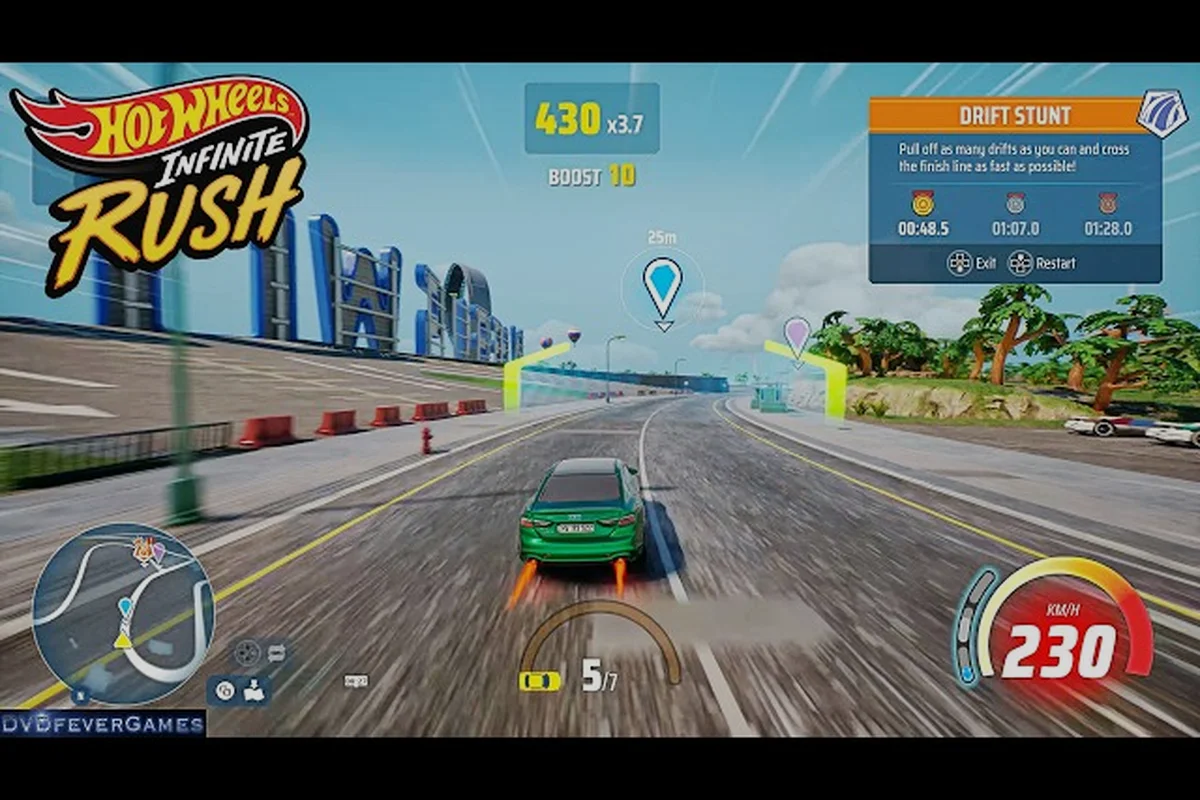
Die-cast cars have always been about personality, and HOT WHEELS Infinite Rush turns that identity dial all the way up. With a built-in livery editor, a deep sticker catalog, and dozens of swappable rims, this cosmetic guide walks you through every layer of the Creativity Corner so your garage stops looking like a stock showroom and starts looking like your collection.
Why Cosmetics Matter More Than You Think in HOT WHEELS Infinite Rush
HOT WHEELS Infinite Rush is a 150+ vehicle open-world racer built around four island biomes and a free-roaming Rush Squad system, and the developers at Milestone leaned hard into the toy-collectible side of the brand. As the Beyond the Track Ep. 2 devblog explains, the Creativity Corner offers a wide selection of stickers, wheels, and rims so you can build a look that is entirely your own. That visual layer is not just decoration either, because the Xbox Wire launch feature confirms that the Sticker and Livery editors sit alongside 150+ vehicles across four classes, giving every player a real reason to spend time in the garage.
Cosmetic work also pays off in pure photo and replay value. Tom's Guide noted after 15 hours with the game that the toy-scale environments and accessible arcade handling make every car feel like a miniature you want to show off, and a well-painted die-cast reads instantly on a 4K livery screenshot. The bottom line: a fresh paint job, a clean sticker wrap, and a matching set of rims is the cheapest way to make your car feel like yours before you even touch the perk tree.
Cosmetic Layers You Can Edit
HOT WHEELS Infinite Rush splits visual customization into three independent layers, and each one is saved per vehicle. Knowing which layer does what saves you a lot of menu time once the catalog opens up.
| Layer | Where You Edit It | What It Controls | Scope |
|---|---|---|---|
| Paint & Livery | Livery Editor | Body color, base coat, patterns, gradients | Whole car body |
| Stickers & Decals | Sticker Editor | Logos, numbers, sponsor-style decals | Hood, roof, doors, quarter panels |
| Rims & Wheels | Garage Wheel Slot | Hub style, spoke color, rim finish, tire sidewall | All four wheels |
How Cosmetics Compare to Performance Upgrades
The perk tree handles drift, nitro, and handling trade-offs, and the cosmetic system is the visual mirror of that build. A Bone Shaker with a fire livery reads completely differently from the same car with a clean pearl white and red pinstripe, even when both share the exact same stat block. Think of cosmetics as your creative save file and the upgrade path as your performance save file, and you have the full picture.
| System | What It Touches | Effect on Race | Effect on Look |
|---|---|---|---|
| Perk Points | Drift, nitro, handling | Directly affects lap times | None |
| Boost FX / Strafe FX | Boost and strafe visual + sound | None, purely cosmetic | Trail color, sound cue |
| Paint Job | Body color and patterns | None | Whole-car identity |
| Sticker Wrap | Logos and decals | None | Personality and crew identity |
| Rim Swap | Wheels and hub finish | None (purely visual) | Stance and silhouette |
The Livery Editor and Paint System Explained
The livery editor is the deepest tool in the HOT WHEELS Infinite Rush cosmetic guide toolbox, and it is what makes the Creativity Corner feel like a real toy-design studio rather than a simple color picker. Inside the editor you get a base coat slot, a secondary pattern slot, and a finish slot that swaps between gloss, matte, satin, and metallic. The official Milestone devblog points out that the editor works alongside the perk system, which is the separate layer that lets you fine-tune performance stats, so your paint choices never fight your tuning choices.
Base Coat, Pattern, and Finish Slots
Every paint job in HOT WHEELS Infinite Rush is built from three stacked layers, and each slot is independently recolorable. That stacking is what lets experienced players fake two-tone liveries without touching the sticker layer at all.
| Slot | Layer Order | What You Pick | Pro Tip |
|---|---|---|---|
| Base Coat | Bottom | Solid color or color family | Pick the most common shared color across your sticker set first |
| Pattern | Middle | Stripes, fades, split tones, checker | Use split-tone to fake a two-tone without a sticker mask |
| Finish | Top | Gloss, matte, satin, metallic | Match finish to your rim finish for a cohesive build |
Finish Presets Worth Knowing
Finish swaps are the most underrated lever in the whole editor. A gloss red Twin Mill and a matte red Twin Mill read as two completely different cars in free-roam, and the swap takes about two seconds in the finish menu.
| Finish | Best Matched With | Avoid Pairing With |
|---|---|---|
| Gloss | Chrome rims, sponsor decals | Heavy chrome wraps (washes out) |
| Matte | Neon underglow, racing numbers | Sticker-heavy designs (clashes) |
| Satin | Classic stripe liveries | High-contrast patterns |
| Metallic | Subtle ghost graphics, low-key decals | Matte rim finishes (mismatched sheen) |
Stickers, Decals, and How the Sticker Editor Works
Stickers are where the HOT WHEELS Infinite Rush customization system really opens up, and they are also the layer most players underuse on their first run. The Sticker Editor lets you place hundreds of decals across the hood, roof, doors, and quarter panels, and each decal supports independent scale, rotation, color, and opacity, so the same library of stickers can produce wildly different looks depending on how you place them.
Sticker Categories Available at Launch
| Sticker Family | Look | Best Slot | Sample Use |
|---|---|---|---|
| Number Plates | Racing numbers | Doors, hood | Replica race liveries |
| Sponsor Logos | Branded graphics | Sides, quarter panels | Crew-style wraps |
| Flame Sets | Hot rod graphics | Hood, rear | Classic muscle car look |
| Geometric Shapes | Stripes, blocks, dots | Anywhere | Two-tone masking |
| Crew Symbols | Custom clan marks | Roof, rear window | Squad identity |
Layering Order and Opacity Tricks
Because the editor lets you stack stickers on top of stickers, the order matters as much as the placement. A good rule of thumb: numbers go on top of sponsor logos, sponsor logos go on top of flames, and flames go on top of the base paint. The devblog highlights that the Sticker editor ships with a wide selection of decals and works hand-in-hand with the Livery editor, so you can mix patterns and decals in the same build.
Rims, Wheels, and Stance Swaps
Rims are the quickest cosmetic win in the entire game, because a single swap changes the silhouette of the car more than any paint job ever could. The Creativity Corner offers a wide selection of wheels and rims, and each rim set lets you change the hub style, spoke color, rim finish, and tire sidewall color, all independently. That four-axis control is what makes HOT WHEELS Infinite Rush rims feel closer to a Forza-level tuning toy than a typical arcade racer cosmetic menu.
Rim Style Families
| Rim Family | Look | Best Matched Body Style | Finish Tips |
|---|---|---|---|
| 5-Spoke Classic | Clean retro | Muscle, roadsters | Pair with gloss paint |
| Multi-Spoke Sport | Track ready | Supercars, prototype | Pair with satin paint |
| Beadlock Off-Road | Rugged stance | Buggies, trucks | Pair with matte paint |
| Deep Dish Drag | Low and wide | Dragsters, customs | Pair with metallic paint |
| Spinner Toy | Pure toy car | Any Hot Wheels original | Keep finish minimal |
Stance Tips: Match the Rim to the Car Class
The game ships with four vehicle classes, and each class has a rim family that flatters it most. You are not locked in, but a clean pairing is what separates a casual paint job from a showroom-ready build. For a deeper look at how rim choice feeds into the broader performance build, the HOT WHEELS Infinite Rush wheels customization guide covers the perk and boost side of the same menu.
| Vehicle Class | Recommended Rim Family | Why It Works |
|---|---|---|
| Muscle | Deep Dish Drag | Wide stance, low profile, period-correct |
| Sport | Multi-Spoke Sport | Reads as track-focused at a glance |
| Off-Road | Beadlock Off-Road | Reinforces rugged silhouette |
| Original | Spinner Toy | Keeps the toy-shelf identity intact |
Boost FX, Strafe FX, and the Other Visual Layers
Paint, stickers, and rims are the headline layers, but the cosmetic system also lets you tune the boost visual effect, the strafe visual effect, and the matching sound cues. According to the Milestone devblog, you can customize boost and strafe visual effects and sounds, which is what makes two identical cars on the same track feel like completely different builds in motion. This is also the layer that ties cosmetic work to the perk system, because the FX you pick visually announces the build path you have committed to.
Boost and Strafe FX Options
| FX Type | Visual Cue | Sound Cue | Best Matched Build |
|---|---|---|---|
| Default Flame | Orange/yellow trail | Standard roar | All-rounder |
| Electric Blue | Blue plasma trail | Crackling buzz | Nitro-heavy build |
| Neon Green | Green afterimage | Synth pop | Drift-heavy build |
| Candy Pink | Pink shimmer trail | Retro arcade | Show car |
| Invisible | No trail | Quieter engine | Clean photo runs |
Why the FX Layer Matters for Squad Identity
Because you can swap FX on the fly, your Rush Squad can use FX as a squad-wide signal. Crew A runs electric blue to mark the drift squad, crew B runs neon green to mark the nitro squad, and within two races anyone on the islands knows which build is rolling up. The Xbox Wire launch feature highlights that the Sticker and Livery editors are designed to let players express identity, and the FX layer is the fastest way to make that identity visible from a quarter mile out.
Putting It All Together: A Practical Cosmetic Workflow
With six independent layers to edit, the order you work in matters more than the time you spend. A clean workflow keeps you from having to redo stickers because the base paint changed underneath, and it also keeps the upgrade side of the build clean so that your HOT WHEELS Infinite Rush upgrades perk choices are never fighting your visual choices. n workflow keeps you from having to redo stickers because the base paint changed underneath, and it also keeps the upgrade side of the build clean so that your HOT WHEELS Infinite Rush upgrades perk choices are never fighting your visual choices, which is exactly the kind of layering the Hot Wheels Infinite Rush Wheels Customization walkthrough unpacks when matching rim tiers to body colorways.
Recommended Build Order
-
Start with rim choice, because rims change the silhouette and the sidewall color you have to match later.
-
Pick base coat and finish, using the rim finish as the sheen anchor.
-
Add pattern layer if you want a two-tone without a sticker mask.
-
Place sponsor logos and number plates in their dedicated slots, leaving the hood for a single hero decal.
-
Set boost and strafe FX to match the build path (nitro, drift, or balanced).
-
Save the preset under a crew-friendly name so your squad can copy it.
Time vs Visual Impact
| Layer | Edit Time | Visual Impact | Best for Quick Builds |
|---|---|---|---|
| Rim swap | 1 minute | High silhouette change | Yes |
| Finish swap | 30 seconds | Medium sheen shift | Yes |
| Base paint | 2 minutes | High body identity | Yes |
| Pattern | 5 minutes | Medium depth | Optional |
| Sticker set | 10 to 20 minutes | High personality | No |
| Boost / Strafe FX | 1 minute | Medium motion identity | Yes |
A clean quick build (rim, finish, base paint, FX) takes about five minutes and 90 percent of the visual payoff. The deep build adds stickers and patterns and is what you save for the cars you actually plan to keep in your showcase rotation. For the broader question of which cars deserve that level of attention, the HOT WHEELS Infinite Rush car upgrades breakdown is a useful companion read once your visual layer is locked in.
Frequently Asked Questions
Where do I find the cosmetic editor in HOT WHEELS Infinite Rush?
The cosmetic editor lives in the Creativity Corner, which is accessible from any garage on the four island biomes. The Milestone devblog confirms the Creativity Corner offers stickers, wheels, and rims in a single hub, so you can switch between paint, decals, and rim swaps without leaving the menu.
Do paint jobs or stickers affect race performance?
No. Paint, stickers, rims, boost FX, and strafe FX are all purely cosmetic and have zero effect on lap times, drift scores, or nitro capacity. Performance is handled entirely by the separate perk system that improves drift, nitro, and handling stats, so you can paint your car however you want without hurting your competitive build.
Can I save multiple liveries on the same car?
Yes. Each vehicle in your garage supports multiple saved presets, and you can name them by build, crew, or event. Community testing shows that saving a separate preset for street, track, and show use is the most efficient way to keep your visual identity consistent across the four islands.
Are rims shared across all cars or per vehicle?
Rim swaps are saved per vehicle, which means a clean 5-Spoke Classic on a muscle car does not auto-apply to your supercar. The upshot is that you can build a unique stance per class without overwriting other cars, and you can copy presets between cars of the same family from the same garage menu.
Is the Sticker Editor available from the start of the game?
The Sticker and Livery editors unlock as part of the core progression loop, and the Xbox Wire launch feature highlights them as one of the headline reasons to keep playing past the early hours. Community reports suggest the editor opens up within the first few hours of the campaign, well before you finish the four-island story.