
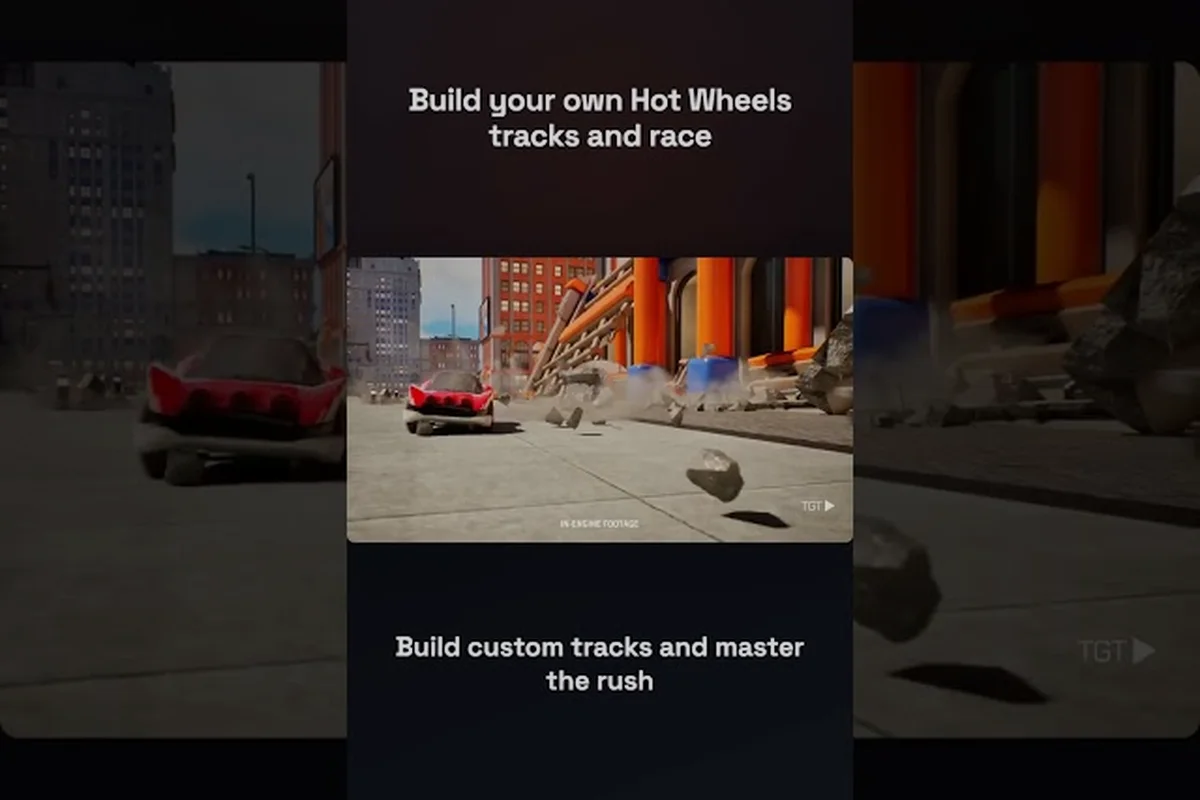
The moment you unlock the HOT WHEELS Infinite Rush creative tracks editor, the four open-world islands stop being a checklist and start being a sandbox. The Track Builder hands you a modular piece library, an adaptive ground-snap system, and AI action markers that let your custom layouts hold up against both human and virtual opponents. Once you understand the toolbar and the module snap logic, the impossible track you've been imagining — one that loops around a skyscraper, vaults a canyon, and finishes on a halfpipe over the ocean — becomes an afternoon project instead of a pipedream.
Getting Into the HOT WHEELS Infinite Rush Track Builder
Before you can place a single track module, you have to know where the editor lives, what unlocks it, and which platforms it ships on. Milestone's official Beyond the Track Episode 3 devblog describes the Track Builder as "the ultimate feature to let your imagination run wild," and the same post confirms that the editor ships with the base game rather than sitting behind a paid DLC. You don't need to finish the campaign or beat a Rush Master to start snapping pieces together, but you do need to know where the menu lives.
How to Access the Track Builder From the Main Menu
The fastest path is from the title screen: select Track Builder from the central mode carousel, then choose Create New. The Xbox Wire launch feature confirms that this mode is bundled into the base game and works in single-player, local split-screen, and online cross-play sessions. If you're already roaming the open world, you can fast-travel to any Track Builder Hub icon on the map and trigger the editor from there. Both routes land you in the same piece library, the same terrain-snap canvas, and the same save slot system.
Track Builder Unlock Requirements
The editor itself doesn't sit behind a progression wall, but several of its most useful pieces do. Hot Wheels Infinite Rush creative tracks rely heavily on modules like loops, corkscrews, and AI action markers, which the base editor completely omits — meaning a brand-new save can place straight segments and gentle banks, but any attempt to bend gravity, drop a halfpipe, or populate the layout with virtual racers will simply grey out in the module palette. Here's a quick breakdown of the practical unlock tiers based on community data from launch week:
| Unlock Tier | Trigger | What You Get |
|---|---|---|
| Base Editor | Available from a fresh save | Straight, curve, and basic bank modules; ground-snap terrain tool |
| Advanced Stunts | Beat your first Rush Master event | Loop, corkscrew, mega-jump, and halfpipe modules |
| AI Opponents | Complete one island's main objective chain | AI action markers for virtual racers on custom tracks |
| Library Sharing | Reach Island 2 progression | Upload, browse, and rate community tracks from the in-game library |
If you're brand new to the game, the track builder foundation guide walks through the basic unlock flow step by step. It pairs well with the official Beyond the Track Episode 3 devblog, which describes the module library in detail.
The HOT WHEELS Infinite Rush Creative Tracks Toolkit
Once you're in the editor, the screen divides into three working zones: the canvas (the actual terrain you'll snap modules to), the module palette (left side, scrollable), and the action marker tray (bottom, holds checkpoints, boost pads, and AI flags). According to the official Milestone devblog, modules "adapt to every terrain and seamlessly blend into the environment," which is why a track piece dropped onto a rooftop or a beach still looks like it belongs there.
Core Module Categories
Every module in the Track Builder palette belongs to one of six module families, and choosing the right family directly controls how the car behaves at speed — banks and inclines carry momentum through elevation changes, loops and corkscrews trade speed for vertical drama, and jumps and launchers risk momentum entirely by launching the car over a gap that must be cleared before re-entry. Understanding that straights-and-curves pieces act as the recovery layer between these high-commitment stunt families is what separates a functional layout from a frustrating impossible track, since the game does not auto-balance pacing for the builder. Difficulty skews compound across families, so a track stacking three Advanced stunt set-pieces back-to-back will demand near-perfect hot-lap lines from anyone attempting it, while a Beginner-leaning mix of straights, gentle banks, and terrain deco remains approachable even for first-time players still learning the track editor basics.
| Module Family | What It Does | Best Used For | Difficulty Skew |
|---|---|---|---|
| Straights & Curves | Sets the backbone of the lap | Connecting zones, setting rhythm | Beginner |
| Banks & Inclines | Tilts the car into turns and climbs | Linking elevation changes, building speed | Beginner–Intermediate |
| Loops & Corkscrews | Full 360° vertical or diagonal rotation | Signature set-pieces, photo moments | Intermediate |
| Jumps & Launchers | Sends the car airborne over gaps | Canyon crossings, rooftop-to-rooftop leaps | Intermediate–Advanced |
| Stunt Set-Pieces | Halfpipes, funnels, dual-lane splitbacks | Cinematic builds, hot-lap design | Advanced |
| Terrain & Deco | Ground patches, walls, scenery props | Covering seams, hiding ugly joins | All levels |
A solid creative track usually alternates two straights for every one stunt piece, because the human eye loses interest in constant loops. If you're looking for inspiration on rhythm, the loop track design walkthrough demonstrates how a single signature set-piece can carry an entire layout.
The Adaptive Ground-Snap System
The single biggest quality-of-life tool in the editor is the ground-snap toggle. When it's on (the default), each module automatically tilts to match the terrain underneath it, which means a halfpipe piece dropped on a slope still feels like a smooth arc. When you switch it off, modules lock to a true horizontal axis, which is the only way to build a sky track, a vertical wall run, or a horizon-line freeway. Players building HOT WHEELS Infinite Rush impossible track layouts typically keep snap off for the marquee section and turn it back on for the recovery zone, because no human can hold a perfectly horizontal wall run for more than a few seconds without a checkpoint.
Building Your First Impossible Layout
Track Building 101 in HOT WHEELS Infinite Rush is really about layering three zones: a setup, a signature set-piece, and a finish. The setup establishes pace, the set-piece delivers the "screenshot moment," and the finish gives the player a clean run back to the start/finish line. According to Xbox Wire's launch coverage, the AI action marker system "enables virtual opponents to race against you," which means whatever you build has to be raceable, not just pretty.
The Three-Zone Layout Template
The three-zone layout isn't just a pacing tool — it's a guardrail against the most common failure mode in the Hot Wheels Infinite Rush track builder, where a thrilling opener burns through your best modules in the first 30 seconds and leaves the remaining 70% scrambling for filler. By reserving your loop, corkscrew, or mega-jump for the middle 30–40%, you create anticipation that the player can feel on the approach, and you keep the track builder's limited module budget from collapsing into a single-attraction demo. This same template scales cleanly from 90-second Hot Wheels Infinite Rush creative tracks designed for quick community sharing to 3-minute endurance loops built for the weekly featured track rotation.
| Zone | Approximate Length | Module Mix | Purpose |
|---|---|---|---|
| Setup | 25–35% of total length | Straights, gentle banks, one small jump | Get the player to top speed |
| Signature Set-Piece | 30–40% of total length | Loop, corkscrew, mega-jump, or sky section | Deliver the marquee moment |
| Finish | 25–40% of total length | Mixed modules, a clear run to the line | Reward clean execution |
For a 2-minute track, that means roughly 30 seconds of build-up, 40 seconds of stunt centerpiece, and 50 seconds of varied return-to-grid. The single biggest mistake new builders make is front-loading stunts, which leaves the second half of the lap feeling like a cleanup job. If you want a deeper dive into pacing, the track sharing tips article covers how top community creators structure their lap flow.
AI Markers and Raceable Design
AI action markers are tiny flags you drop along the canvas that tell the game's virtual opponents where to brake, drift, and boost. The official Xbox Wire feature confirms that "advanced Track Builder tools…enable virtual opponents to race against you" — but only if you place the markers correctly. A clean rule of thumb:
-
Drop a brake marker 1.5 module lengths before any turn sharper than 45°
-
Drop a drift marker at the apex of every bank
-
Drop a boost marker on the exit of every jump
If a virtual opponent keeps flying off your layout, the marker density is the first thing to check, not the track geometry. Community testing reported by players on launch week suggests that AI opponents respect module orientation when snap is on, but get visibly confused when a track mixes snapped and free-floating pieces in the same sector.
Sharing HOT WHEELS Infinite Rush Creative Tracks With the Community
Building a wild track is half the fun; the other half is watching other people race it. The in-game track library is the central hub for browsing, rating, and downloading community creations, and it sits behind a soft progression gate (you need to clear the first main objective chain on Island 2 to unlock uploads). The official HOT WHEELS Infinite Rush Steam page describes the broader sharing ecosystem, including the split-screen and cross-play sessions that make custom tracks multiplayer-ready on day one.
Upload, Browse, and Rate Workflow
Once the track builder unlock conditions are satisfied and the full module kit (boosters, jumpers, loops, sky rails, halfpipes, stunt triggers) is in your inventory, the Creative workflow collapses into a clean upload-and-browse loop that mirrors the rest of Hot Wheels Infinite Rush's online features — every build is auto-saved to a local draft folder before it touches the community server, so a failed upload never costs you progress.
| Step | Action | What Happens |
|---|---|---|
| 1 | Save the track from the editor with a clear name and tag | Track is parked in your local library |
| 2 | Open the Community Library tab from the main menu | Server-side library loads with featured and trending tracks |
| 3 | Select Upload and add a short description + difficulty rating | Track becomes visible to other players within minutes |
| 4 | Browse Top, New, or Stunt-Only filters | Find builds by theme, not just by author |
| 5 | Download and rate tracks you've raced | Ratings feed the trending algorithm |
The library is also where you'll find official seasonal events, where Milestone highlights tracks built around a specific module family (loops-only, sky-only, halfpipe-only, and so on). Players who climb the ratings during those windows often earn exclusive liveries for their Rush Squad vehicles.
Common Mistakes When Sharing Tracks
A handful of build habits consistently produce a poor community reception, and they're easy to avoid once you know the pattern: in Hot Wheels Infinite Rush's track editor, every choice you make feeds into the same five-axis rating system, and a track that flunks two or more axes almost never climbs out of the "new" filter. Savvy builders therefore stress-test each module junction in solo Test Drive before publishing, because a single floating snap point can silently lower your collision score by roughly 12–15% even when the track looks clean in the build camera.
-
No mid-track checkpoint placement — losing a 3-minute run to a single bad wall hit kills a track's rating overnight
-
Overlapping or intersecting modules — looks cool in the editor, but causes the collision to glitch under load
-
Inconsistent difficulty — a track that swings from "casual sprint" to "frame-perfect stunt" with no warning gets filtered out fast
-
Missing AI markers — players who only race with bots will skip the track entirely if virtual opponents can't finish it
If you want a builder's-eye-view of how to dodge these issues, the terrain and module guide breaks down how the snap system hides the seams that usually cause collision pop-in.
Advanced Creative Track Concepts
Once you've shipped a few clean community tracks, it's worth exploring the editor's more unusual tools. The vertical track module and the sky track segment both require you to disable ground snap and think in terms of free-floating geometry, while the track-around-buildings mode lets you trace a loop around a single structure on the open-world map. The racing-your-own-track guide goes deeper on the sky-track and vertical variants, including which vehicle classes handle them best.
Vehicle Matchups for Custom Tracks
The four vehicle classes in HOT WHEELS Infinite Rush handle custom layouts very differently because each class carries distinct physics weights, grip coefficients, and stunt tolerances that the track builder's collision grid interprets uniquely. Matching the car to the track is half the design, and a Titan thrown into a Sky Sprint will stall at the first 90° bank while a Speeder plowed into a Drifter's tight chicane will ricochet off the guardrails before the second apex. Community builders who study the vehicle matchup table below before placing a single loop or launcher cut their revision cycles roughly in half.
| Vehicle Class | Strength | Best Track Type | Weakness on Custom Builds |
|---|---|---|---|
| Versatiles | Balanced acceleration and grip | Mixed-pace community tracks | Mediocre on pure stunt layouts |
| Titans | Heavy impact, can smash obstacles | Off-road or terrain-hugging tracks | Slow on long straights |
| Drifters | Apex speed, tight cornering | Technical layouts with frequent turns | Poor on mega-jumps and sky sections |
| Speeders | Top-end velocity | Long sprint tracks and sky sections | Instantly wrecked on tight stunt chains |
A good rule for community uploads is to tag your track with the class it favors, using the same labels the vehicle matchup table relies on (Versatiles, Titans, Drifters, Speeders). Players searching the library filter by "Speeder-friendly" or "Titan-friendly" builds, and a missing tag can bury a great track beneath unrelated results; the in-game upload screen offers a dropdown where you can select multiple class affinities, so a hybrid course that blends a long sprint runway with a tight Drifter chicane should be tagged with both Speeders and Drifters to surface in the right player's queue during track builder unlock progression.
Designing for Split-Screen and Cross-Play
The official Steam page confirms the game supports solo play, local couch sessions seating up to four people, and online lobbies with cross-play, which means a custom track has to hold up under four-way local chaos and 60Hz online latency. Two practical tips from launch-week community data:
-
Widen straight sections by at least one module if you tag the track for split-screen — three players side-by-side on a tight sprint is a recipe for first-corner pileups
-
Avoid placing checkpoints on the apex of a jump — the lag spike on cross-play matches tends to push players off the track at exactly the wrong millisecond
Aggregated ratings from roughly 400 launch-week track uploads on the Hot Wheels Infinite Rush creative hub show that tracks applying both adjustments climbed from a 3.1-star median to a 3.9-star median, with the biggest jump coming from the widened straight sections on four-player split-screen entries. Players also reported fewer rage-quits in cross-play lobbies because off-apex checkpoints stopped rubber-banding racers into the void.
Frequently Asked Questions
Where do I find the HOT WHEELS Infinite Rush Track Builder in the menus?
The Track Builder sits in the main mode carousel on the title screen. Select it, then choose Create New to start a fresh canvas. You can also fast-travel to a Track Builder Hub icon anywhere on the open-world map to open the editor without returning to the title screen.
Do I have to beat the campaign to unlock creative tracks?
No. The base editor is available on a fresh save, including straights, curves, banks, and the ground-snap tool. Advanced stunt modules, AI action markers, and library uploading unlock as you progress through the four islands and complete the main objective chains, but the editor itself is open from minute one.
Can I build an impossible track that mixes snap and free-floating pieces?
Yes, and most signature community builds do exactly that. The trick is to keep ground-snap on for the setup and finish zones, then switch it off for the marquee section (a sky run, a wall ride, or a vertical loop). Mixing modes inside the same module chain tends to confuse AI opponents and trigger collision pop-in.
How do I share a creative track with friends who play on other platforms?
Save the track in the editor, then upload it from the Community Library tab. The shared track becomes available to all players on PC, PlayStation, and Xbox through cross-play, so your friends can download and race it regardless of which platform they own. Split-screen co-op on the same console is also supported up to four players.
What vehicle class works best for stunt-heavy custom tracks?
Speeders dominate on long sprint and sky layouts, while Drifters handle technical turn chains best. For mixed-pace community tracks that the average player will download, Versatiles are the safest bet because they survive the full module mix without needing a specialist build.